Showing posts with label How-to. Show all posts

Hello and welcome everyone, today’s tutorial we are going to discuss is  how to copy & paste unselectable text from any android app, Yes you heard it right after applying this simple trick you can easily copy paste unselectable text from any Android App.
The tutorial is very easy anyone who has a basic android knowledge can do this trick very easily, Do ask your queries in the comment box and we will try to solve it asap. Comments and suggestions are always welcomed.

Downloads and Requirement??

  • Requires Android 4.1 and up
  • Universal Copy (Download)
How to Copy & Paste Unselectable Text from Any Android App

Step 1: Download, Install and Open Universal Copy.

Step 2: Now Enable Universal Copy > Tap On Open Settings > Turn On Accessibility for Universal Copy and Go Back to the Universal Copy App.

Step 3: For Copying and pasting Text from Any app all you have to do is Open the app from where you want to copy > then pull down the notification drawer and Tap on “Universal Copy”.

Step 4: Now tap on the text that you want to copy and then Tap on the copy icon(located in the upper right part), Now paste it wherever you want. That’s it.

Disclaimer: Every Tutorial is for Informational and Educational Purpose, authors of the tutorials posted are not responsible for any loss. 


The tutorial is very easy anyone who has a basic android knowledge can do this trick very easily, Do ask your queries in the comment section and we will try to solve it asap. Comments and suggestions are always welcomed.

Downloads and Requirements??
  • Requires Android 5.0 and up
  • MUVIZ Nav Bar Audio Visualizer App (DOWNLOAD)

So without any further do let’s get started…

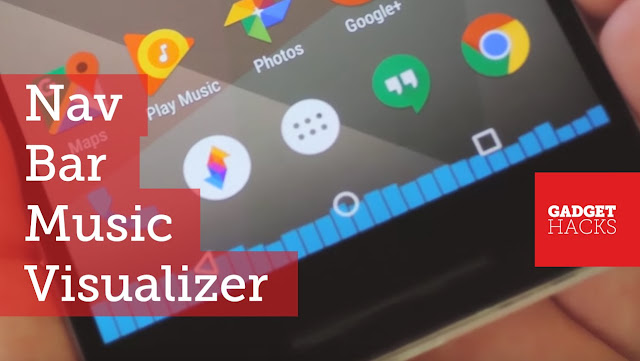
How To Add a Music Visualizer to Android’s Navigation Bar 

Step 1: Download, Install and Open MUVIZ Nav Bar Audio Visualizer App


Step 2: Now Tap on Get Started > Record Audio> Tap on Done.


Step 3: Now Choose the Visualizer according to you, There are a bunch of free as well as paid Visualizer. Tap on the Visualizer and then tap on Go live. Now to test simply play any music.

Note: To see visualization on a device with hardware navigation, select visualization position as ‘Above Navbar’ from app settings.


I Hope you Liked our Article, for more Tech related stuff, do visit daily.

Disclaimer: Every Tutorial is for Informational and Educational Purpose, authors of the tutorials posted are not responsible for any loss.

Hello and welcome everyone. The most amazing Sci-Fi FPS android game N.O.V.A under 20 Mb. Yes, you heard it right the legendary game nova is back with N.O.V.A Legacy which is an under 20 MB game. If you don’t know about  N.O.V.A let me tell you that it’s impressive  Sci-Fi FPS Android Game which can be freely downloaded from play store. The previous version of this game was more than 1gb but this game came with a surprise. The graphics is amazing.

Do ask your queries in the comment box and we will try to solve it asap. Comments and suggestions are always welcomed.

Download N.O.V.A Legacy (Download)

The Most Amazing Sci-Fi FPS Android Game N.O.V.A Under 20 Mb
Watch The Trailer Here:


I Hope you Liked our Article, for more Tech related stuff, do visit daily.


The tutorial is super easy anyone who has a basic android knowledge can do this trick very easily, Do ask your queries in the comment box and we will try to solve it asap. Comments and suggestions are always welcomed.

Things We Need??
  • Android Device
  • Rounded Corner App (Download)

So let’s get started…

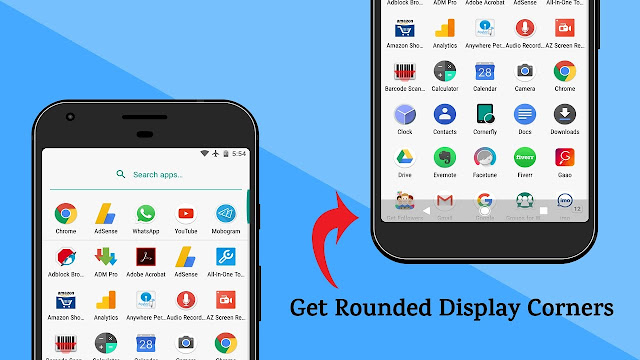
How to Get LG G6-Like Rounded Display on Any Android Device

Step 1: Download, Install and Open Rounded Corner Application.

Step 2: Now Enable Rounded Corner and then enable Permit drawing over apps and then tap on the back navigation button.
Step 3: Now You can adjust the size by sliding left or right in the Size option, You can also change the styles of the corner in the Styles Option.


I Hope you Liked our Article, for more Tech related stuff, do visit daily.

Disclaimer: Every Tutorial  is for Informational and Educational Purpose, authors of the tutorials posted are not responsible for any loss.
Powered by Blogger.